
Getting started
Onboarding on Surfalytics
Work through each checkpoint to set yourself up for success. Click a step to jump to it, read what to do, then mark it done — the circle turns green as you go.
Discord is the key to our community. The key is communication and engagement: set goals, report on your progress, ask questions, share news, and help others. The more you engage, the faster you grow.
New to Discord?
Discord is our community hub — think of it like Slack or Microsoft Teams, just built for communities. It's where we chat, share progress, ask questions, and meet up. A few things that make it great:
- •Channels organize conversations by topic (e.g.
#introduce-your-self,#ask-anything,#jobs-us). - •Threads keep discussions tidy — our rule: start a Thread for any discussion so the main channel stays clean and replies are easy to follow.
- •Search lets you find any past message, link, or file instantly.
- •Voice & video channels let us run live calls, screen-shares, and video conferences right inside Discord.
You can use it in the browser, the desktop app, or on your phone.
Write the Introduction post about yourself
The fastest way to get help later is to be a name people already recognize. Your intro is how the community meets you.
Do this:
- Open the #introduce-your-self → channel in Discord.
- Scroll through a few intros first. Copy what you like about the good ones.
- Click New Post to start your own thread — don’t reply inside someone else’s.
- Paste the template below, fill in the blanks, and post.
👋 **Hey everyone!**

**Name:** [Your name]
**Location:** [City, Country]
**Current role:** [Your job title or "Student"]
**Goal:** [What you want to learn or achieve]
**Fun fact:** [Something interesting about you]

Excited to be here! 🚀
While you're there
React to two other intros. That one click is how the habit of engaging starts.
Done when
Your intro thread is live in #introduce-your-self.
You don’t need to memorize the whole server. Learn the handful of channels you’ll use every week, then skim the rest so you know where things live.
Start with these
| Channel | What it’s for |
|---|---|
| #announcements-surfalytics | Official news. Turn notifications on. |
| #introduce-your-self | Your first post (you did this in step 1). |
| #share-week-progress | Your Monday update. The habit that keeps you moving. |
| #ask-anything | Any question — goals, tools, assignments, jobs. |
| #mock-interviews | Book practice interviews for your target role. |
| #resume-review | Get feedback before you apply anywhere. |
Every section, one line each
Skim these once. You do not need to join them all. Ask in the matching channel and the right people see it faster.
General
| Channel | What it’s for |
|---|---|
#share-week-progress | Your Monday update. One thread per week. |
#introduce-your-self | Intros. Done in step 1. |
#share-your-success | Got a job, an offer, a raise, a certificate? Post it here. |
#ask-anything | Any question, when you do not know where else to ask. |
Learning
| Channel | What it’s for |
|---|---|
#dev-boost-with-ai | AI coding tools, news, and workshops. How to use AI in your daily development work. |
#tech-knowledge-sharing | Cool links about the tech industry, not only data. |
#data-engineering-projects | Pet projects and questions for the DE track. |
#data-analytics-projects | Pet projects and questions for the DA and BI track. |
#mock-interviews | Request a mock interview or ask how they work. |
#leetcode-crack | Solving LeetCode? Invite people to practice with you. |
#book-course-review | Share a book you read or a course you took. |
#learning-roadmap-review | Finished onboarding? Post your roadmap and ask for feedback. |
Tools
| Channel | What it’s for |
|---|---|
#business-intelligence | Dashboards, BI tools, visualization. |
#etl-and-data-integration | Ingestion, transformation, orchestration. Airflow, dbt, and friends. |
#data-platform | Data warehouses, data lakes, lakehouses. Storage solutions. |
#streaming | Kafka, Kinesis, anything real-time. |
#big-data | Hadoop, HDFS, Spark. Mostly legacy, but questions still land here. |
#ai-ml-ds | Machine learning and data science. News and tools. |
#data-governance | Data quality, data observability, governance practice. |
#dev-ops | Infrastructure as code, CI/CD. |
#management | People management, courses, books, questions. |
#coding | Python, SQL, CLI, any programming language. Training and workshops. |
#business-domain | KPIs, metric definitions, specific business domains. |
Jobs
| Channel | What it’s for |
|---|---|
#resume-review | Share your resume, get feedback, improve it. |
#job-searching-and-interviewing | Tips, interview questions, progress. Scroll the history, it is full of useful answers. Record the questions you get and share them. |
#jobs-us, #jobs-canada, #jobs-europe, #jobs-others | Job posts by region. Others covers remote and everything else. Ask if you need a new region. |
Misc
| Channel | What it’s for |
|---|---|
#money | Investing, saving, personal finance. Articles, experience, questions. |
#random | Random. |
#motivation-content | Things that keep you going. |
#fire | Financial independence, retire early. Articles and goals. |
#club-200-300-500 | Private. How to scale your income to $200K, $300K, $500K. Master the fundamentals first. |
#your-post-sharing | Wrote a blog or LinkedIn post? Share it and the community will like and comment. |
#books-writing-club | Private. Members writing books. Azure Data Factory and Databricks are done, Microsoft Fabric is in progress. |
Cities
| Channel | What it’s for |
|---|---|
#vancouver, #calgary, #seattle, #toronto, #berlin | Local events and jobs. Ask for a new city if yours is missing. |
#ru-remote | Remote jobs for Russian-speaking members. |
#online-data-events | Online data events, webinars, conferences. |
#eu-work-permit | Work authorization in Europe. Visas, permits, relocation. |
Voice channels
| Channel | What it’s for |
|---|---|
Leetcode | Live LeetCode practice sessions. |
analyst-projects | Calls for the DA and BI track projects. |
data-engineering-projects | Events and workshops. Office Hours happen here. |
interviews | Mock interviews and interview prep calls. |
Events
Check the Events tab at the top of the server. Office Hours run every other Friday at 10:30 AM PST. Come with any question. If the time does not work, ask in #ask-anything.
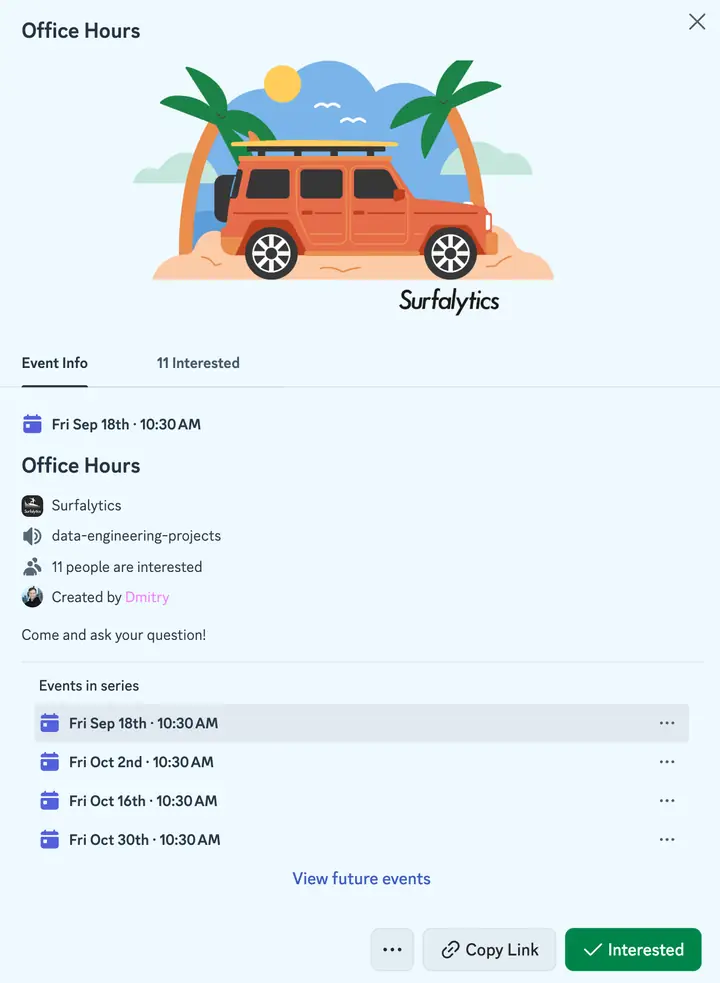
The Office Hours event. Click Interested and Discord reminds you before it starts.
Add every event to your calendar. Subscribe to the Surfalytics calendar in Google Calendar. New events show up there by themselves.
Any member can create an event or a workshop: Events → Create Event, pick a time, invite people. We encourage you to run a workshop. Teaching something is the best way to learn it.
The one rule
Start a Thread for any discussion. The main channel stays readable and replies are easy to follow.
Done when
You’ve opened your track, region, and city channels, marked yourself Interested in Office Hours (or just opened the Events tab), and posted one message — even a 👋.
Members who post something in their first week are far more likely to still be here — and hired — six months later. Lurking is comfortable; it also doesn’t work.
Do this:
- Open #ask-anything → or #share-week-progress →.
- Find 2–3 threads where you have something to add.
- Reply with something real — a follow-up question, your own experience, or a resource that helped you.
- Found a useful book, course, or article? Share it in #book-course-review →.
What counts
“Good luck!” doesn’t. Ask a question, share what worked for you, or point someone to something useful.
Done when
You’ve left 2–3 replies on other members’ threads.

This is the habit that carries you through the weeks when motivation dips. Saying out loud what you did — and what you’ll do next — makes you far more likely to actually do it.
Do this:
- Every Monday, open the new thread in #share-week-progress.
- Reply using the template below. A short, honest update beats a perfect one.
- Read two other updates and reply to one.
**Job Search** 🧑💼:
**Learning** 👨🎓:
**Interesting Stuff at Work** 🧶:
**Wellbeing** 🎹:
**Goals this week** 🚩:Don't skip a slow week
“Not much this week — life got busy, back on it Monday” is a valid update. Showing up is the point.
Done when
You’ve posted your first weekly update in #share-week-progress.
Ten minutes that explain how everything here fits together — the community, the projects, the weekly calls, and what “success” actually means.
Do this:
- Read What is Surfalytics → (about 10 min).
- Post one takeaway in #ask-anything — what surprised you, or what you want to get out of the community.

Everything Surfalytics does, on one page. Membership on the left is where you are now. The free course in the middle is the roadmap you will follow.
The short version
- Surfing + analytics. A community-driven platform for building a data career while delivering real value to businesses.
- Who it’s for: career switchers with zero data experience, analysts moving into engineering, senior engineers who’ve plateaued, and people relocating to North America or Europe.
- How it works: a Discord community, monthly hands-on projects, weekly Saturday sessions (Snowflake, dbt, Docker, and more), mock interviews, and career guidance.
- The goal is fair pay. We track real outcomes — all the way to the Club 500 level ($500K+ per year).
- Community first. You grow faster when you set goals in public, report progress, ask questions, and help others.
Done when
You’ve posted one takeaway in #ask-anything.
New content, event announcements, and member wins usually land on social first. Following now means you won’t miss them.
Do this:
- Follow all three accounts below.
- Subscribe to the newsletter — one deep-dive post a week on data engineering, analytics system design, and career growth.
Start with these four posts:
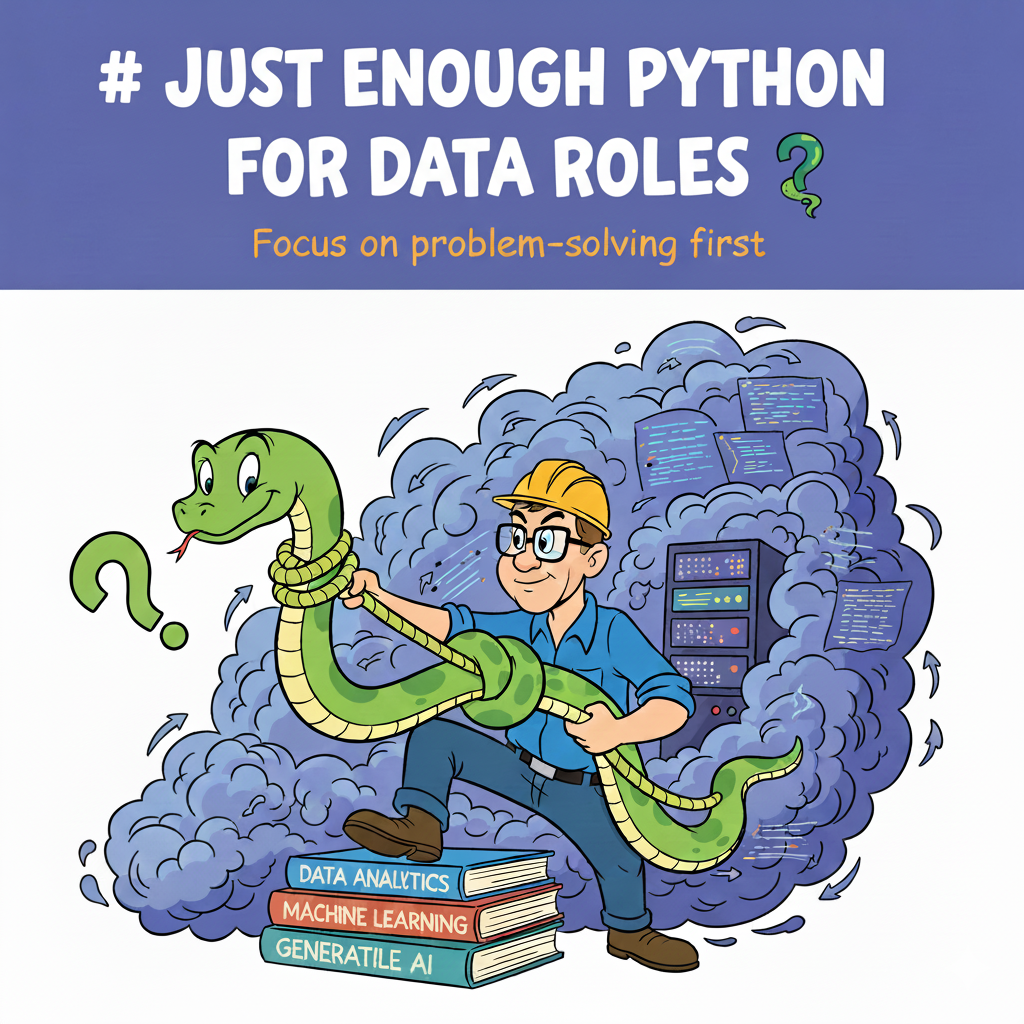
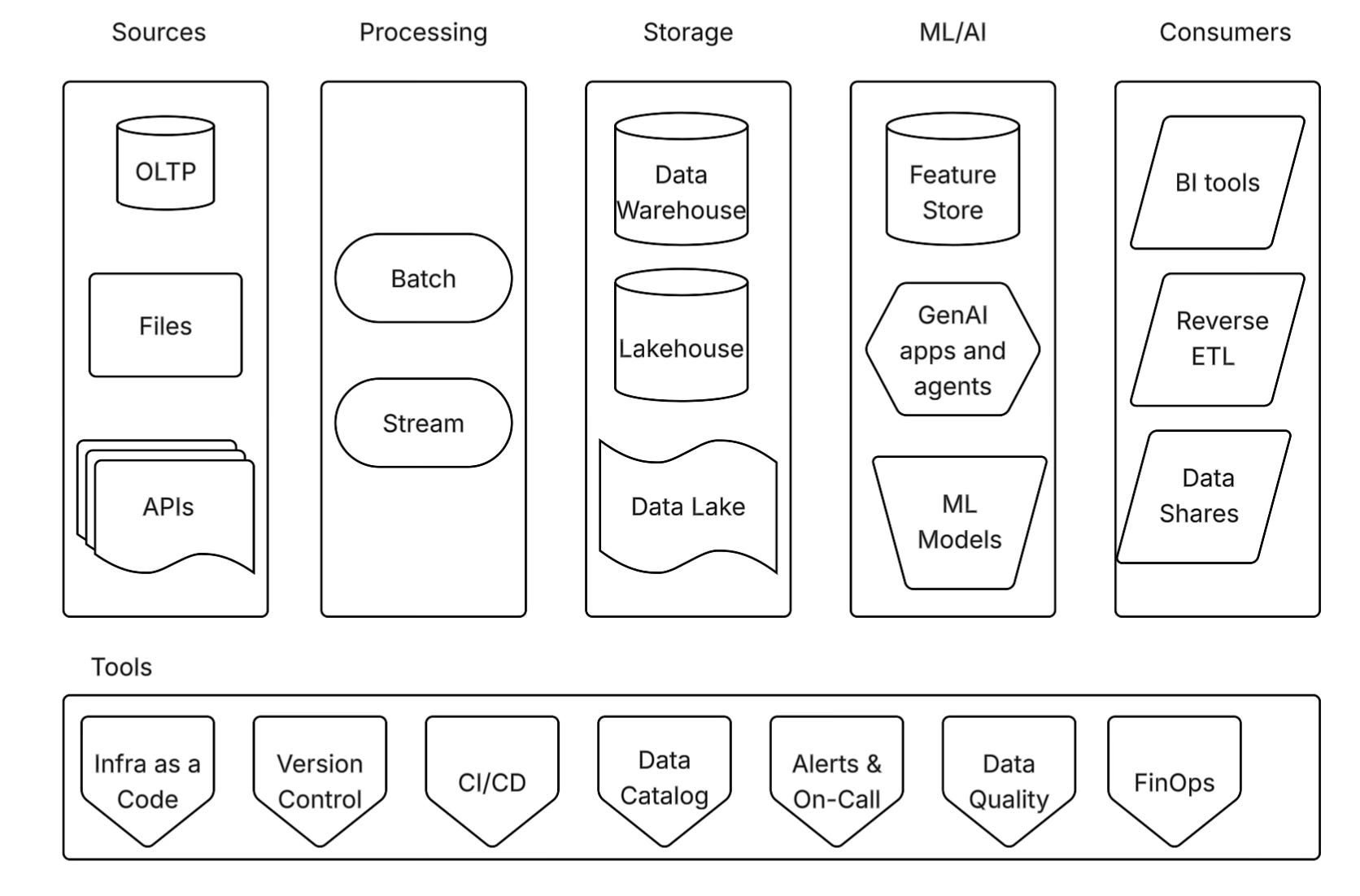


The full list is in the blog archive →.
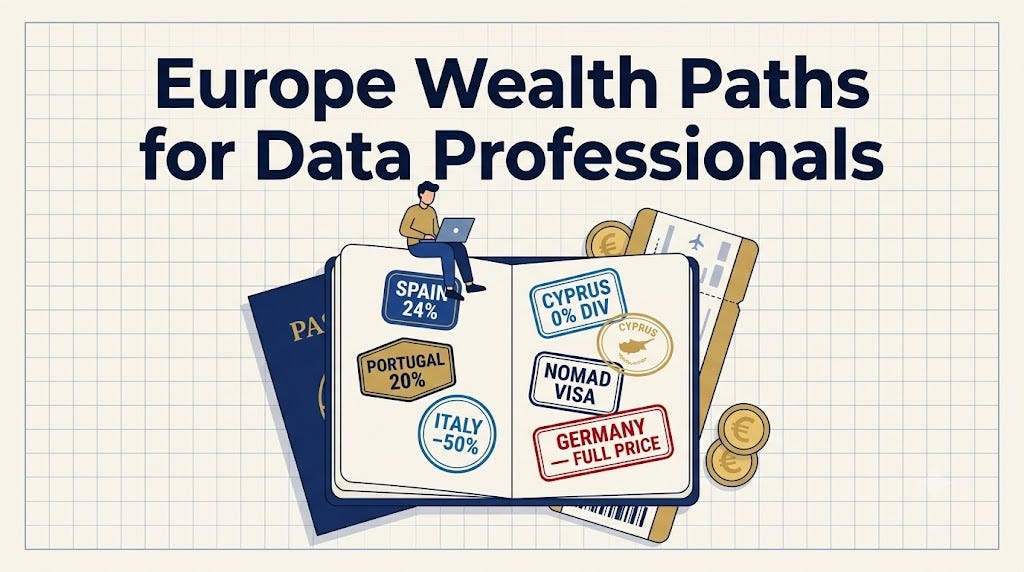
Latest from the blog
Done when
You’re following on LinkedIn and Instagram, and subscribed to the newsletter.
One place to see what you’re working on this week, and every job you’ve applied to. This is what keeps you from losing momentum around week three, when the novelty wears off.
You need two things. Pick a tool for each — or one tool for both — and copy a ready-made template; don’t build from scratch.
1. A weekly plan
Your tasks for the current week, checked off as you go. Each week’s roadmap tasks drop straight in here, alongside everything else you’re juggling — applications to send, a portfolio project, a course to finish.
Keep it to one of two shapes:
- A simple checklist — fastest to start. One list per week, tick items off, move what you don’t finish to next week. Microsoft To Do, Google Tasks, or Apple Reminders all work.
- A board — cards in columns (To do · Doing · Done), dragged across as the work moves. Worth it once you have more than ~10 things in flight. Notion Kanban Board or Trello.
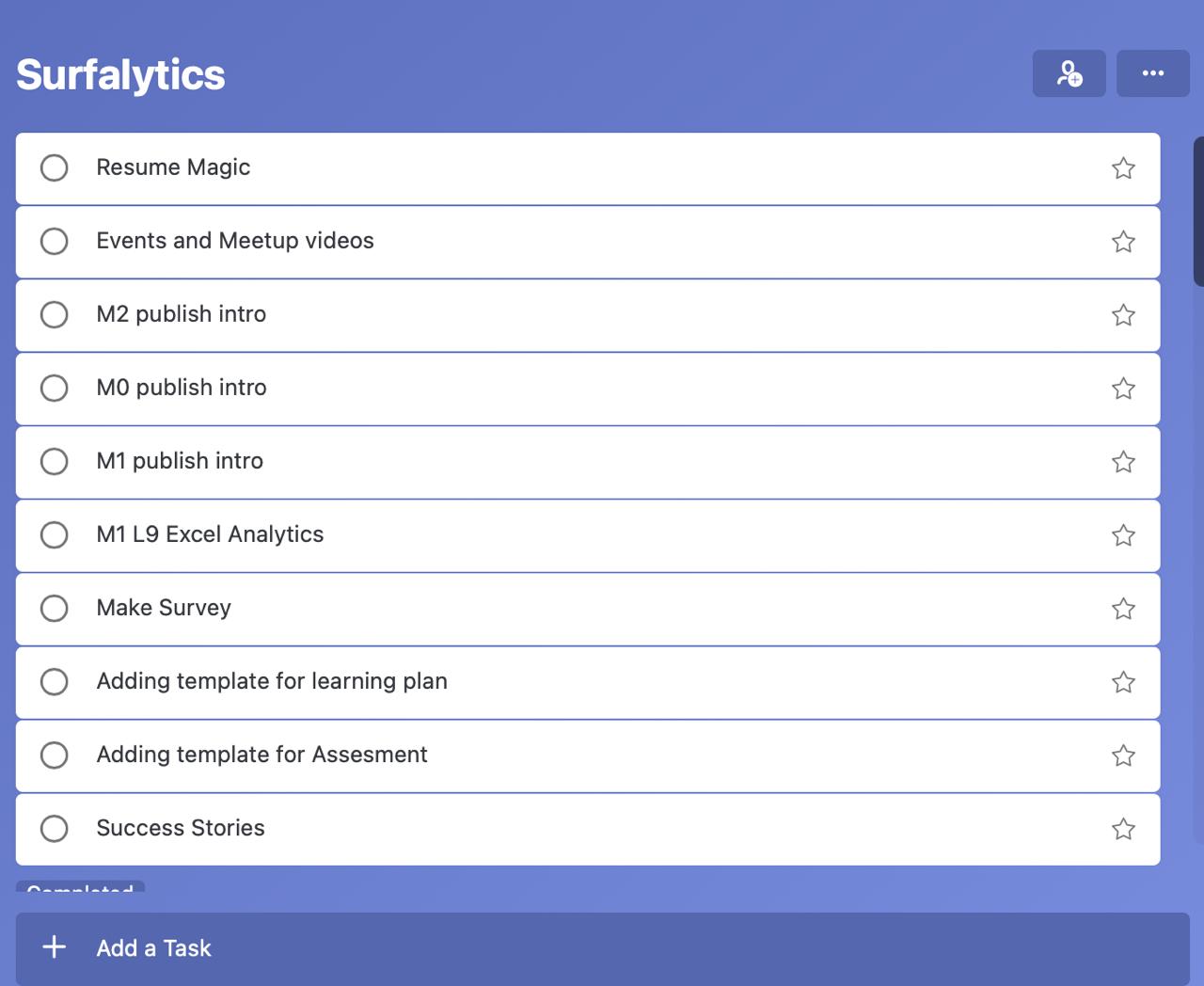
A plain checklist in Microsoft To Do — one list, one week, nothing to configure. Start here; switch to a board later only if you outgrow it.
2. A job application tracker
The one everyone skips — and regrets when a recruiter calls about a role they don’t remember applying to.
One row per application. At a minimum, track company, role, link to the posting, date applied, and status (applied → phone screen → interview → offer / rejected). Add a comments column for the recruiter’s name, the salary range, or why the role appealed to you. Once you’re sending 5–10 applications a week, this table is the only thing that tells you what’s actually working.
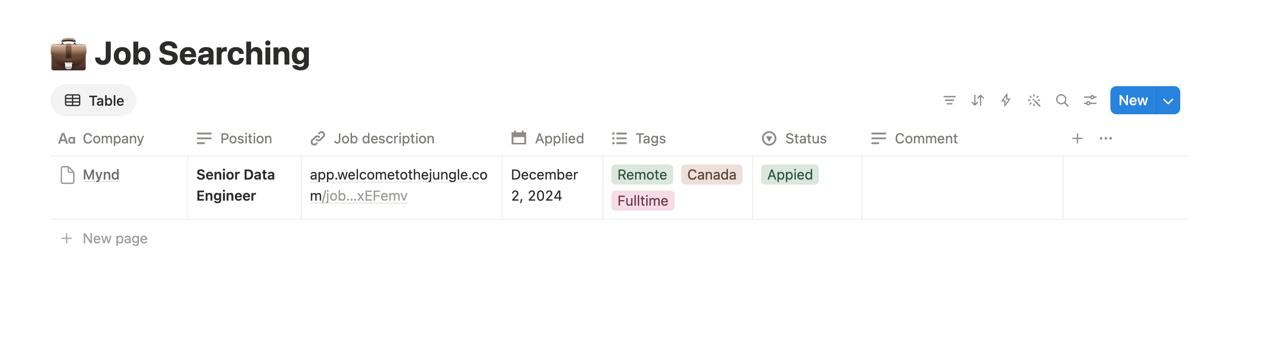
The Notion Job Application Tracker template — status as a coloured tag, plus tags for remote / location / full-time. Free, published by Notion.
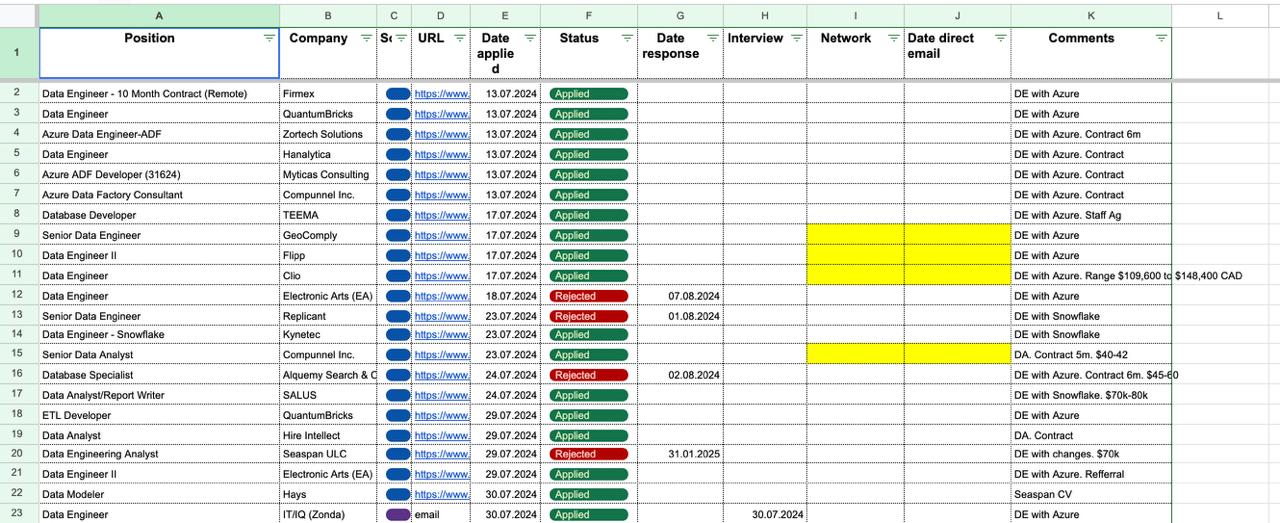
A spreadsheet does the job just as well. This one adds a response date, an interview column, and a networking contact — colour-coded so the active leads jump out.
Keep it light
Don’t spend an evening customizing. Duplicate a template, delete what you don’t need, and start using it — you’ll shape it as you go.
Done when
You have a weekly plan you’ll actually open on Monday, and a job tracker with its columns set up — ready for your first application.
Five minutes now saves a broken evening later — Module 4 in particular assumes this is all in place.
Your machine
| Component | Minimum | Recommended |
|---|---|---|
| Screen | 15-inch or larger | plus an external monitor |
| Memory (RAM) | 8 GB | 16 GB or more |
| Operating system | Windows or Linux | macOS — the smoothest for this course |
| Internet | stable connection for video calls and screen-sharing | — |
Accounts to create
- 💻 GitHub — github.com — non-negotiable; we set it up together in Module 0
- ☁️ Cloud provider — AWS, Azure, or Google Cloud — you’ll need a card on file before Module 4
- 🤖 AI coding tools — Cursor and Claude — used throughout the course to write and debug code. If you can’t get access to them (region or budget), Kilo Code is a free, open-source alternative.
- 🔗 LinkedIn — linkedin.com — for sharing progress and connecting with peers
Done when
Your machine meets at least the minimum specs above and you’ve created a GitHub account.
Recruiters and hiring managers check your LinkedIn before they reply. A few posts about what you’re learning turn an empty profile into someone worth talking to.
Do this:
- Write 3–5 sentences about something you learned this week — a concept that clicked, a bug you fixed, a tool you tried.
- Post it on LinkedIn.
- Share the link in #your-post-sharing — the community will jump in with likes and comments.
This week I learned [topic].

The thing that finally made it click: [one specific insight].

Where I got stuck: [the hard part, and how you got past it].

Next up: [what you're learning next].

#dataengineering #analytics #learninginpublic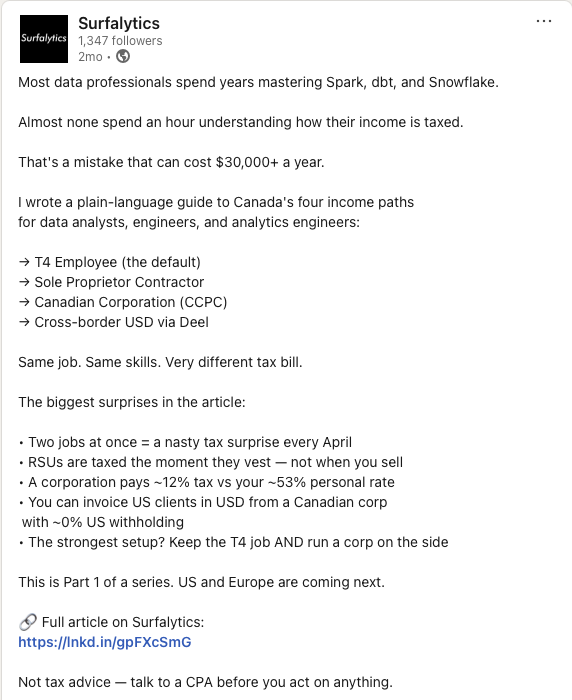
A post from the Surfalytics page. Yours can be shorter and more personal, but notice the shape: a hook in the first line, short paragraphs with space between them, a list or two, and one clear link at the end.
It gets easier
The first post is the hard one. Do it now while you have the momentum of onboarding.
Done when
Your post is live on LinkedIn and shared in #your-post-sharing.
There is one roadmap for everyone, Module 0 to Module 12. Where you go deep depends on you: where you are now, your target role, and your target country. Ten minutes here saves you weeks of studying the wrong thing.
Do this:
- Open How the roadmap works → and read the six points at the top.
- Find your group. No data experience yet, already an analyst, or in data and want higher pay.
- Read the road map for your target role: Data Analyst, Analytics Engineer, or Data Engineer.
- Post in #ask-anything: your group, your target role, and the module where you plan to go deep.
The rules that apply to everyone
- Everyone starts with Module 0 and Module 1. Module 0 sets up your machine. Module 1 explains data roles and how the roadmap works.
- Skim every module, even if you skip it. Open it, check the topics, mark what you already know as done.
- Job search starts after Module 1. You decide when you are ready to apply.
Want the long version?
The full write-up with all six roadmaps is on the blog: Ultimate Data Analytics Career Roadmap →.
Done when
You have posted your group, target role, and starting module in #ask-anything.