
Lesson 04
Cloud Computing Concepts and Models
Understand IaaS, PaaS, and SaaS service models, public vs private vs hybrid clouds, and cloud pricing basics for data professionals.
Cloud Computing Concepts and Models
IaaS, PaaS and SaaS, public / private / hybrid clouds, and how to estimate what a cloud solution costs.
This is probably the most important lesson of Module 5: the service models are the biggest topic of the module, and every cloud conversation uses them.
Where it started
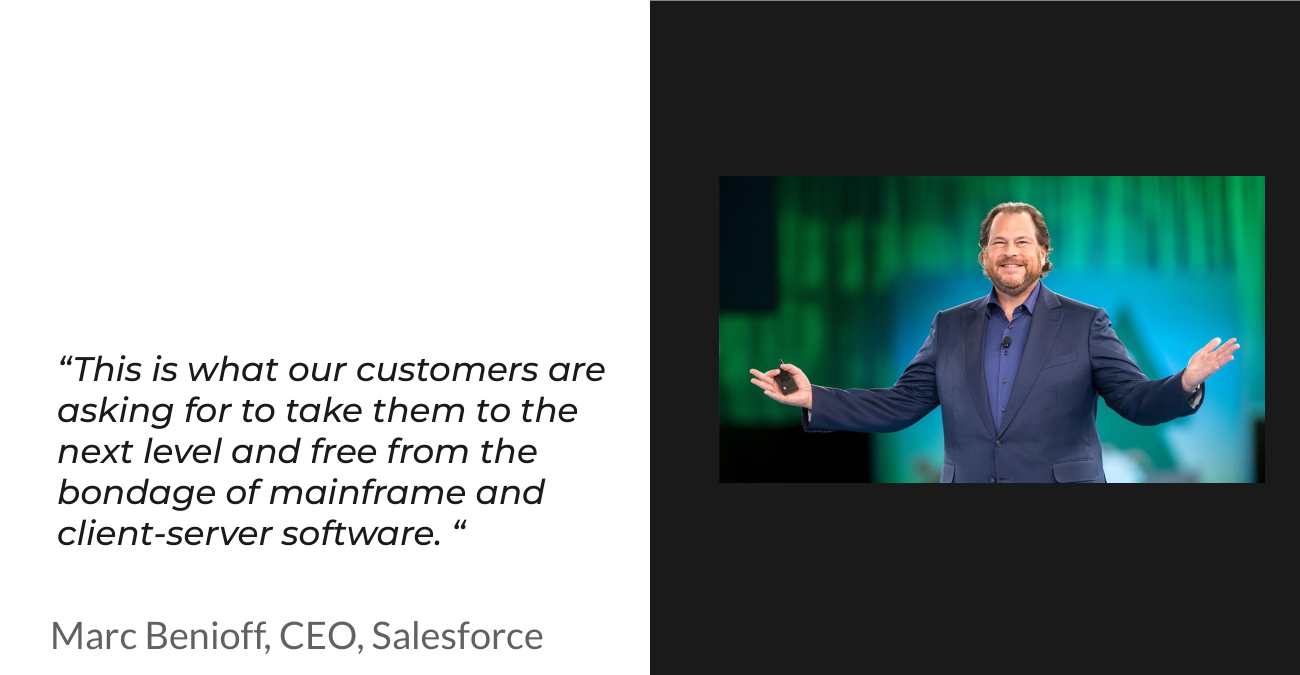
Salesforce was one of the first CRM systems built in the cloud and sold as a service to customers. It is a software as a service product. You will see what that means below.
Market
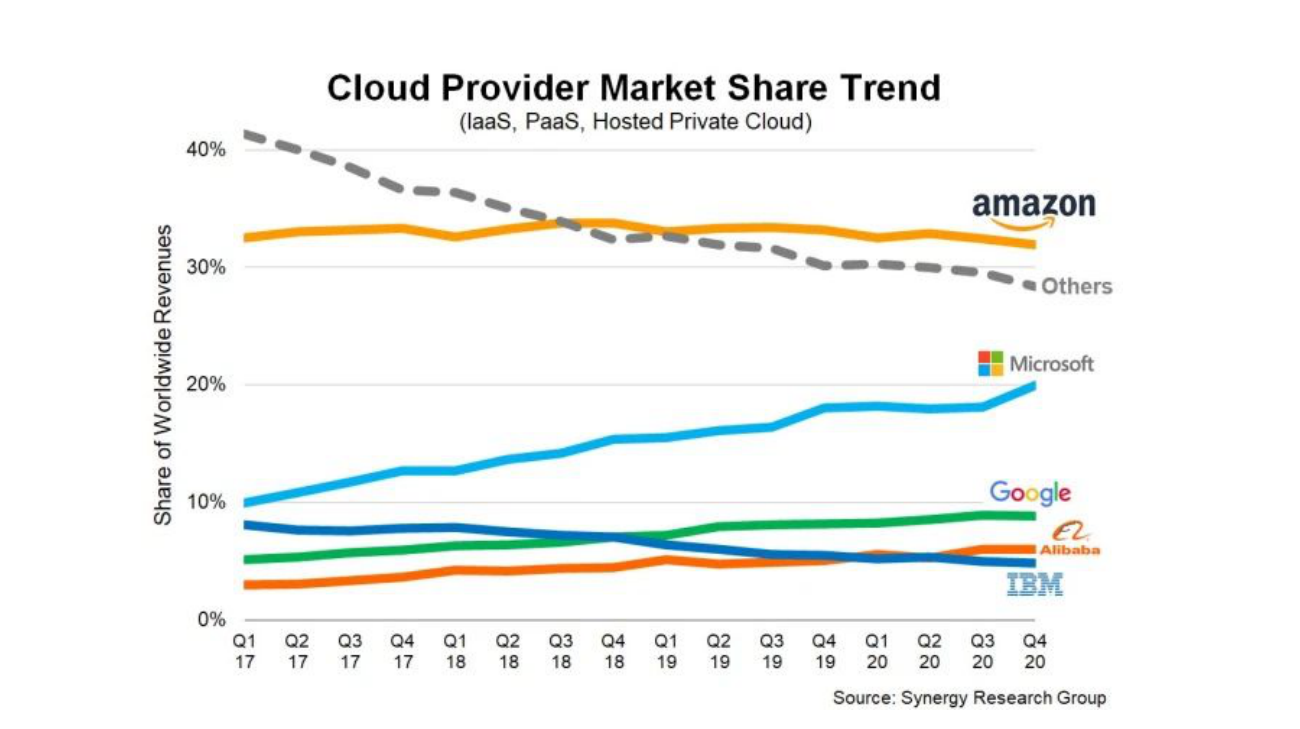
The slides are about five years old, but the picture still holds: Amazon has the biggest share because it started first (EC2 and the first web services), then Microsoft and Google, plus Alibaba, IBM and Oracle.
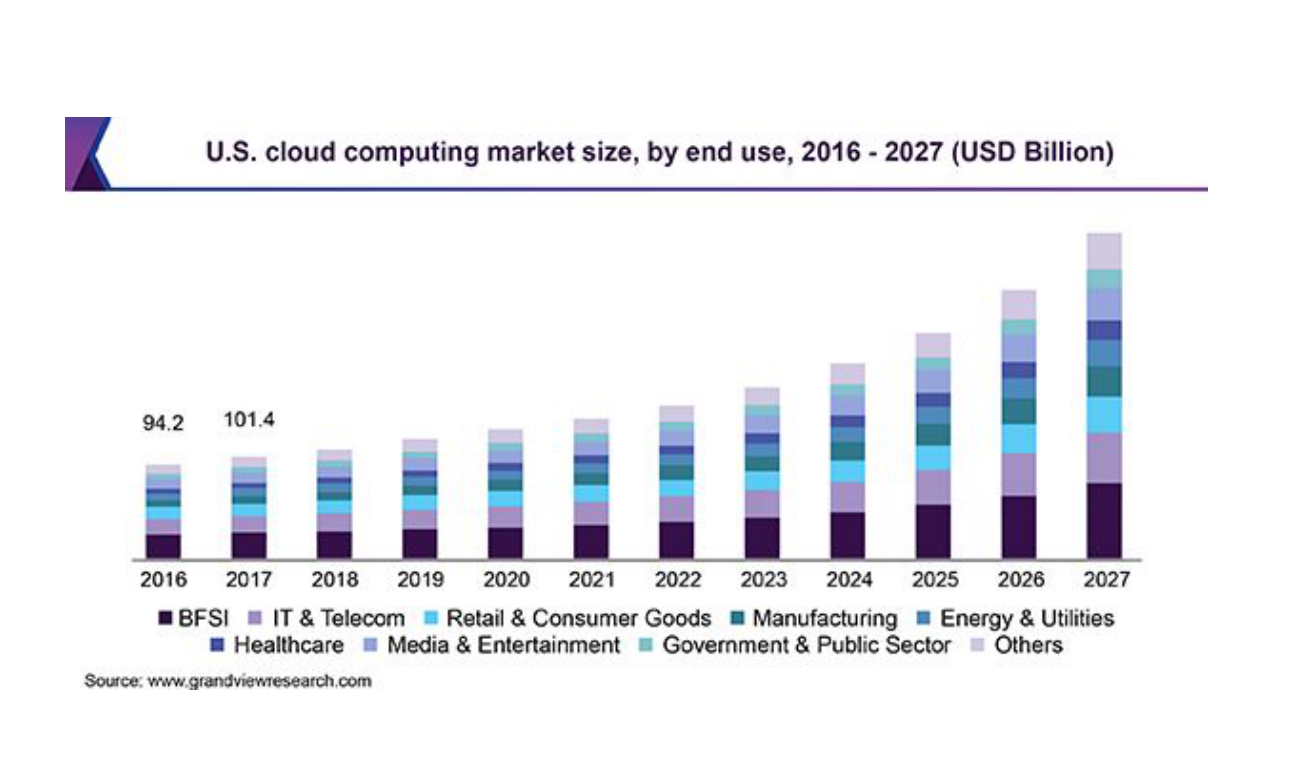
The market keeps growing, especially with AI: data centers and the cloud services behind AI capabilities are growing with it.
Cloud vs no cloud
| Traditional approach | Cloud | |
|---|---|---|
| Hardware | We own it (servers as big as a fridge) | We don’t own any |
| Access | We need physical access to maintain it | Not needed |
| Adding capacity | Order, install, deliver. We can’t just “add servers” | One click |
| Failures | We fix or replace broken hardware | The vendor replaces it instantly |
The building blocks
Four key terms: compute, databases, storage, network. That is basically what you need to build in the cloud. But a data center with these is not yet a cloud: it also needs the characteristics from the previous lesson (on-demand, elastic, measured).
Cloud service models
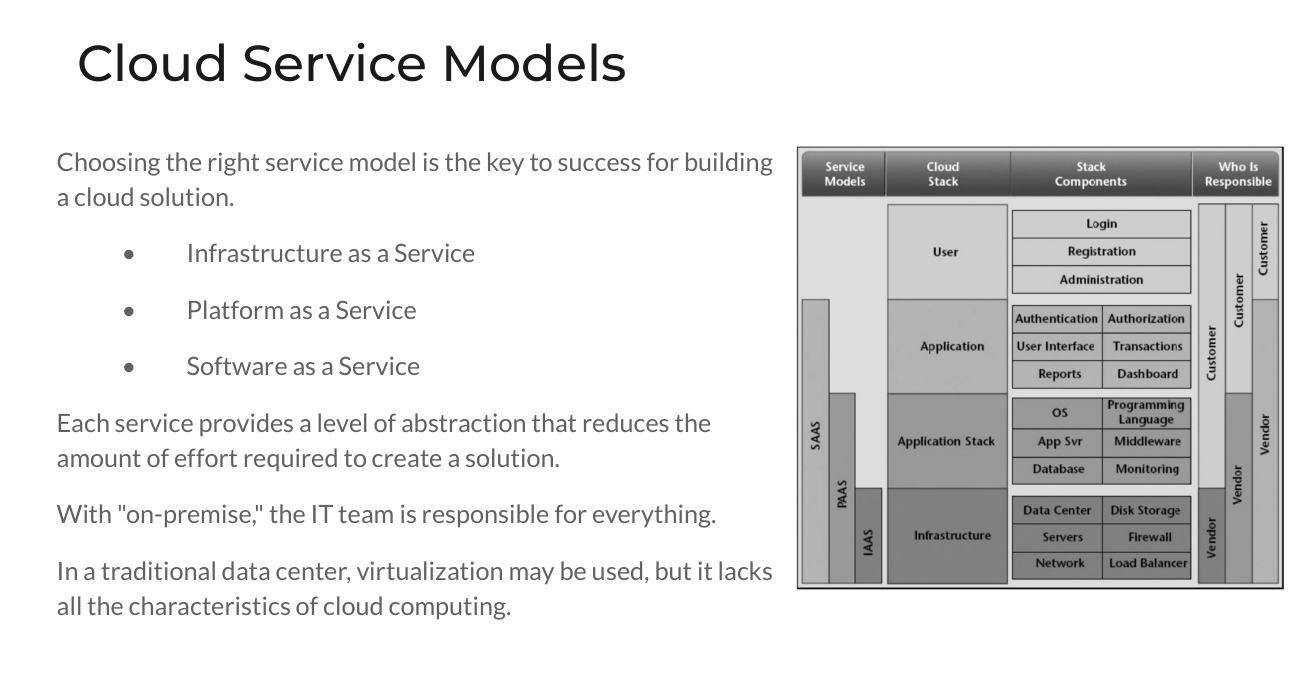
Picking the right service model is key to a good cloud solution. Each model adds a level of abstraction that reduces the work needed to build a solution. With on-premise, the IT team is responsible for everything. A traditional data center may use virtualization, but it lacks the cloud characteristics.
| Model | What you get (NIST) | You manage | Example |
|---|---|---|---|
| IaaS (Infrastructure as a Service) | Processing, storage, networks and other fundamental resources where you can run arbitrary software, including operating systems | OS, storage, deployed applications, maybe some network settings (host firewalls) | EC2 with Amazon Linux or an Azure Windows VM from the last lesson |
| PaaS (Platform as a Service) | A platform to deploy your own or acquired applications using languages, libraries and tools supported by the provider | The deployed application and its configuration settings | A ready SQL Server: you only use the database, but still handle backups, sizing and scaling (you still need a DBA) |
| SaaS (Software as a Service) | The provider’s application, accessed from a browser or an API | Only limited user-specific settings | A fully managed database: you get an endpoint, credentials and a port, and it scales up and down on its own. Also Salesforce, Google Docs |
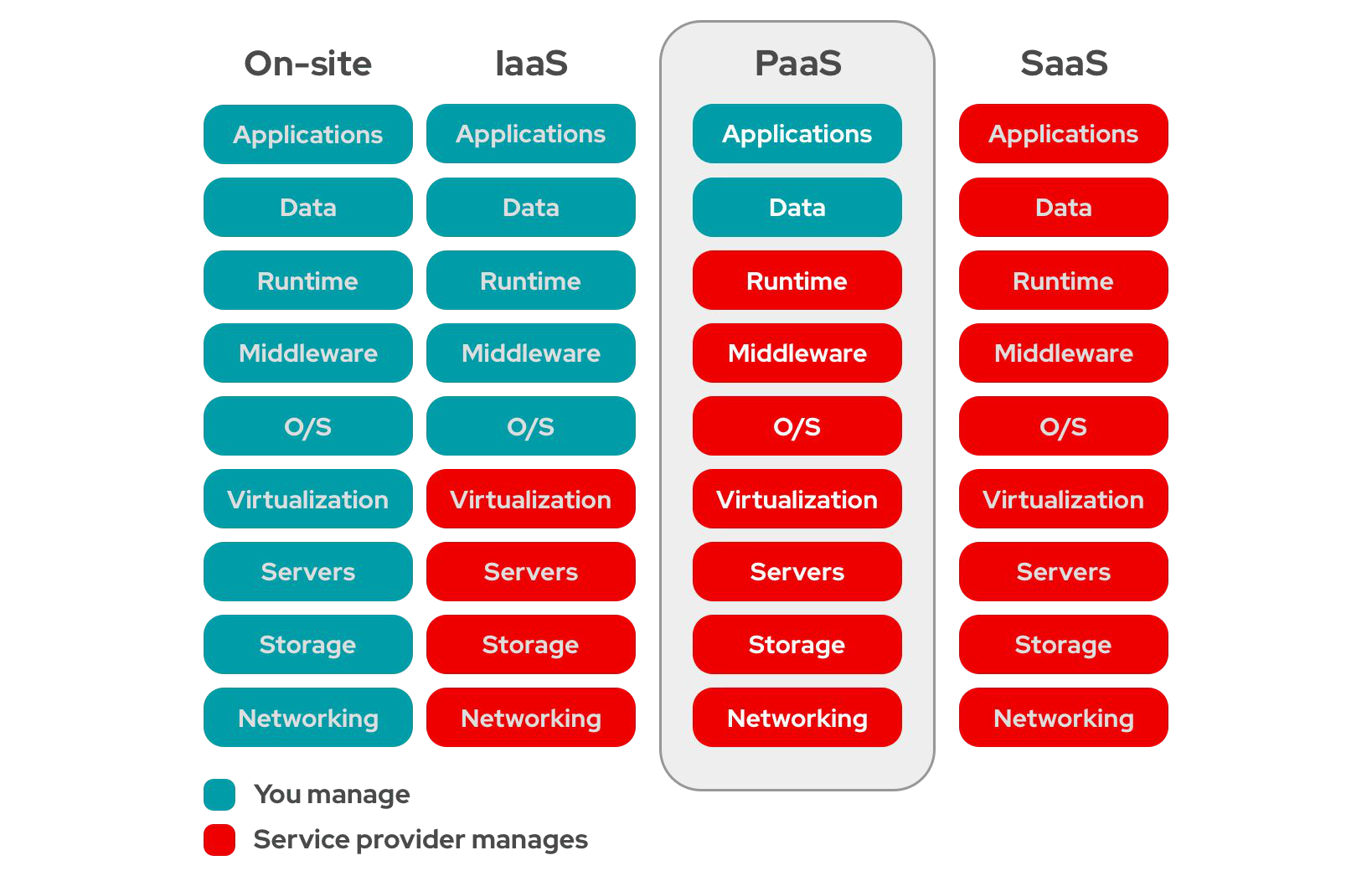
The vendor gives an IaaS virtual machine with only the operating system installed. Everything on top (software, network access, agents) is up to you.
How it started
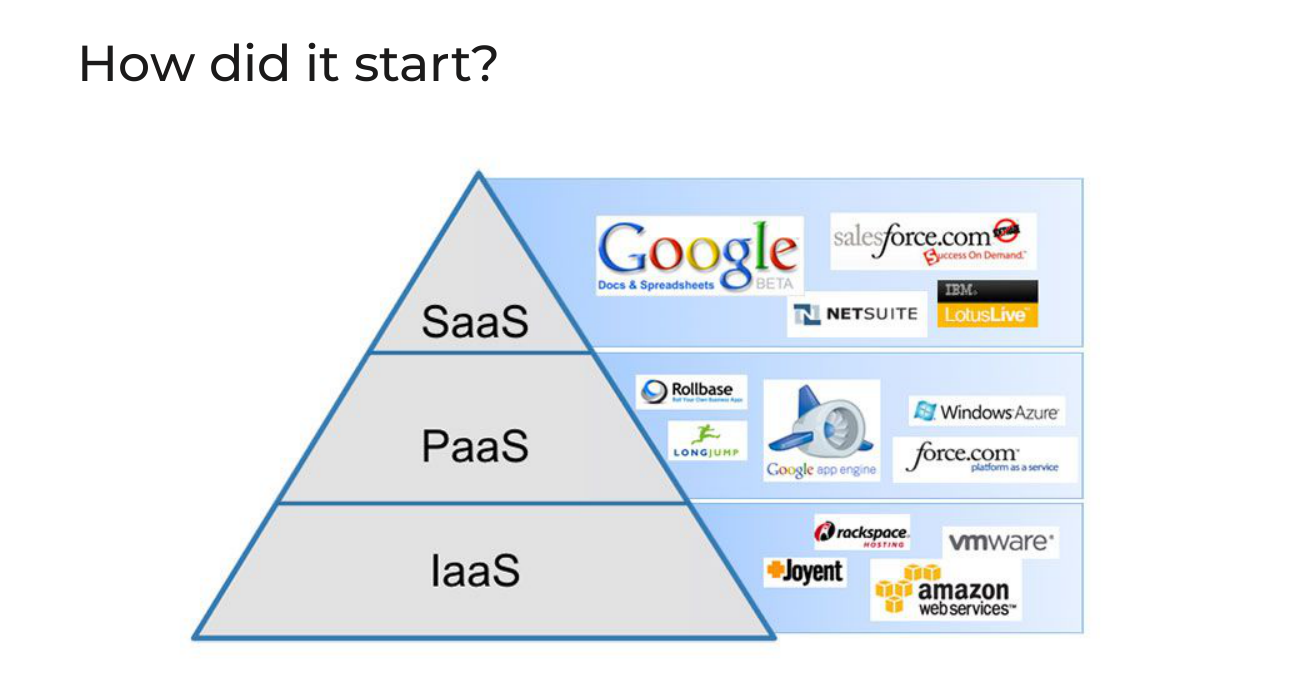
Early examples: SaaS: NetSuite, Lotus, Salesforce, Google Docs and Spreadsheets. PaaS: Google App Engine. IaaS: Amazon Web Services (EC2).
Pizza as a service
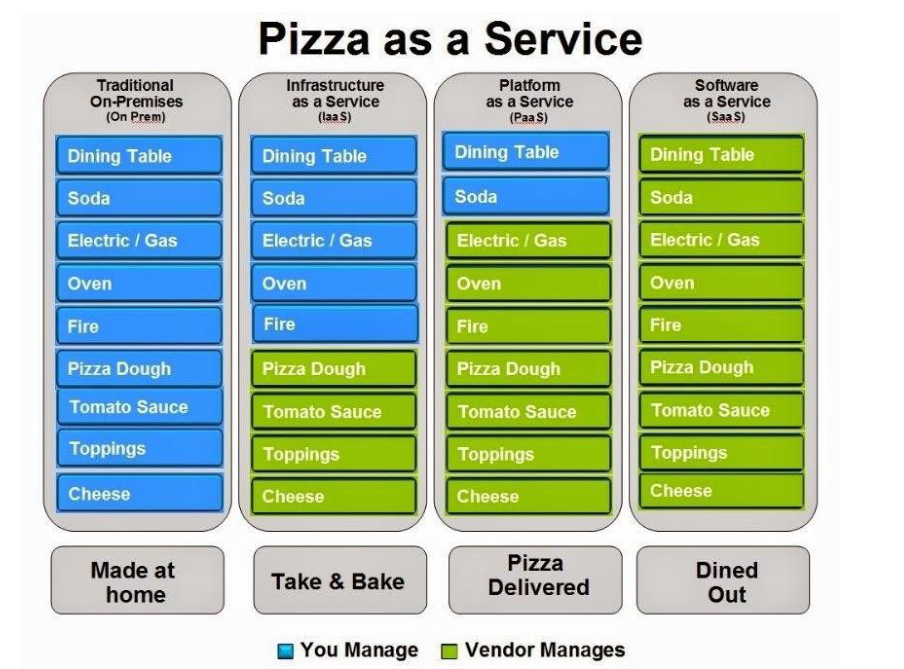
- On-premises: you make the pizza at home, everything is yours.
- IaaS: take and bake. You buy dough, sauce and toppings, but use your own kitchen.
- PaaS: delivery. Everything is cooked for you, you only need a table and a soda.
- SaaS: dining out. You just eat.
Pros and cons
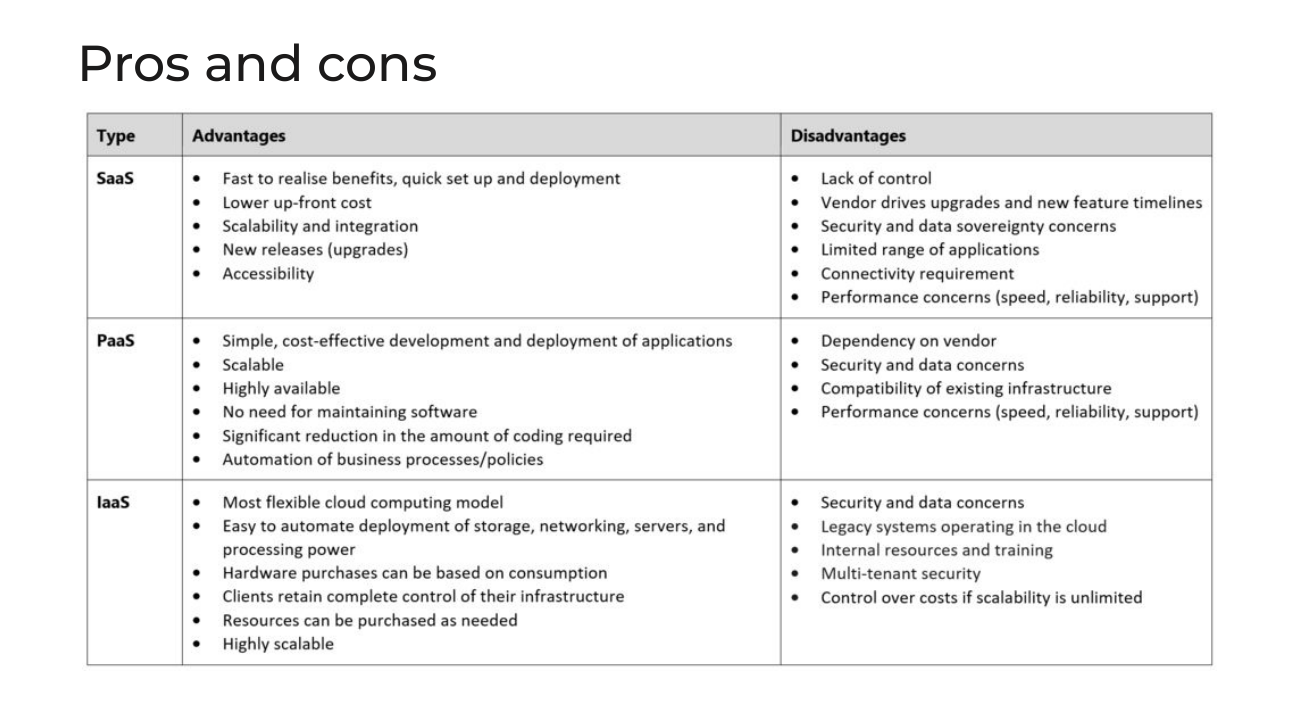
| Advantages | Disadvantages | |
|---|---|---|
| SaaS | Quick setup and deployment, low up-front cost, scalable, new releases, accessible | Lack of control, the vendor sets upgrade timelines, security and data sovereignty concerns, limited range of applications, needs connectivity |
| PaaS | Simple and cost-effective development, scalable, highly available, no software maintenance, much less coding | Dependence on the vendor, security and data concerns, compatibility with existing infrastructure, performance concerns |
| IaaS | The most flexible model, easy to automate, pay for consumption, full control of infrastructure, highly scalable | Security and data concerns, legacy systems in the cloud, needs internal skills and training, costs can grow if scalability is unlimited |
For data work, services range from IaaS to SaaS. Example: you can install open-source Airflow yourself on an EC2 instance (IaaS), or use the managed Airflow in AWS. Every solution is a trade-off: there is no best one, it depends on the team, budget and goals.
Cloud deployment models
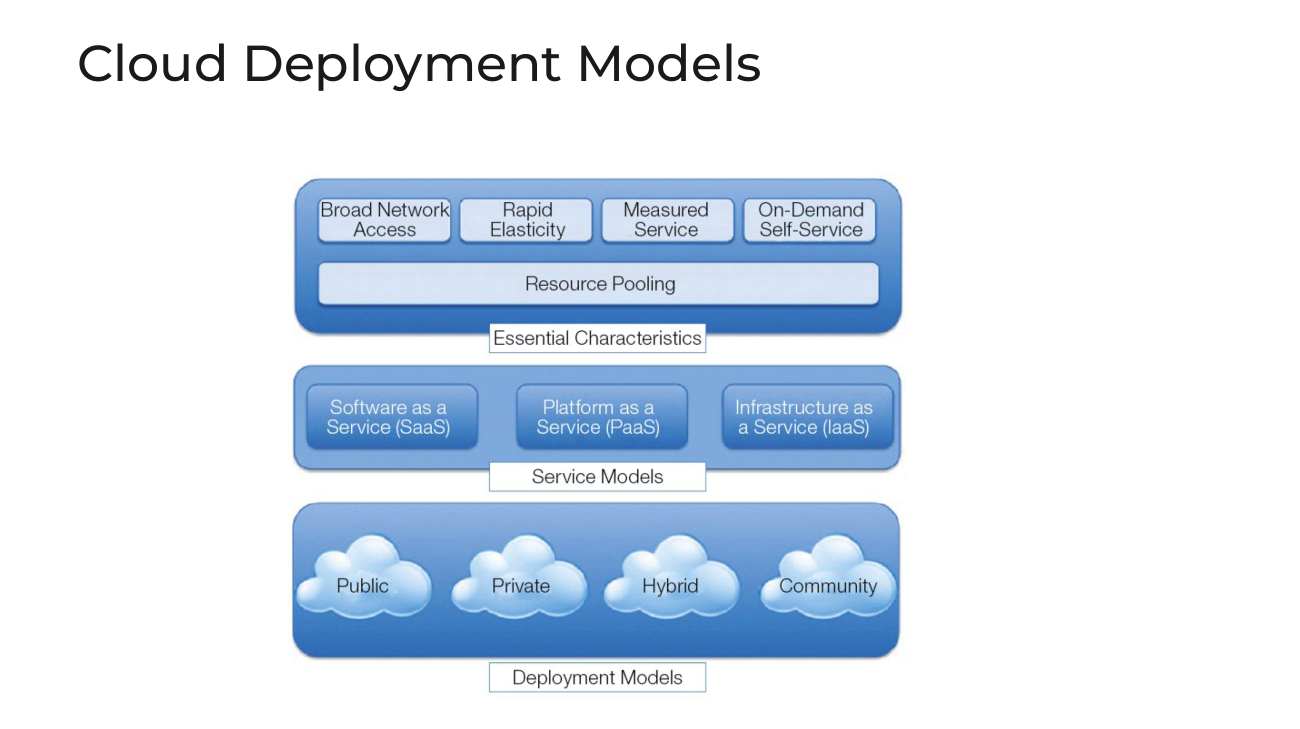
| Model | What it is | Notes |
|---|---|---|
| Public | Open to the general public, owned by a vendor. AWS, Azure, GCP | Users don’t know the physical location and work through an API. Pros: utility pricing, elasticity, core competency (AWS is a specialist in data centers). Cons: control, regulatory issues, limited configurations |
| Private | For exclusive use by one organization, on or off premises | Health organizations, finance institutions, the military |
| Hybrid | Two or more distinct clouds bound by technology that allows data and application portability (for example cloud bursting) | Critical datasets stay private, the rest go to the public cloud |
| Community | For a specific community of organizations with shared concerns (mission, security, compliance) | Less common |
Hands-on
- Install the AWS CLI (Azure and GCP have similar CLIs). Every action in the console is an API call, so a mouse click, a Python script and a CLI command do the same thing. The CLI also lets AI tools such as Claude Code or Cursor run commands in your cloud.
- Create an IAM user and an access key and secret key, then run
aws configure(oraws configure --profile <name>). Check access withaws s3 ls --profile <name>. Never commit keys to Git, and delete the test user when you finish. Company setups use identity center or short-term role credentials instead. - Estimate costs with the AWS Pricing Calculator (the same exists in Azure and GCP). Example from the lesson: managed Airflow plus Redshift plus Glue (Spark) for a small data platform. Monthly cost looks small, but multiply by 12. Reserved capacity usually gives a 30–50% discount, and Airflow can be replaced by simpler options, so this is a trade-off. Understanding prices is part of system design.
- Look at billing: Billing dashboard, Cost Explorer and AWS Budgets. Tag your resources so you can filter costs by tag. Ask an AI agent with CLI access to find where the money goes, but read the commands it runs.
Next steps
Security is next, with IAM users, roles and policies in a dedicated lesson.
This lesson is for members only
Join Surfalytics to unlock all 7 lessons in this module, plus every module, project, mock interview, and the private community.
7-day free trial · Cancel any time